
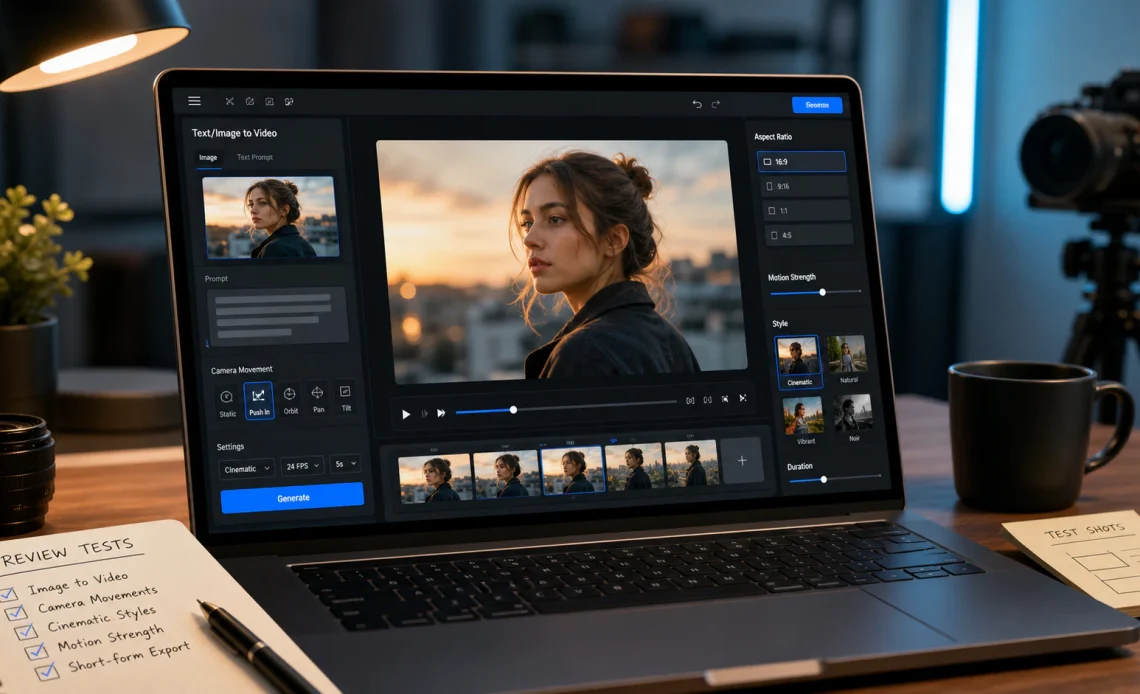
As of August 2026, Magic Hour is my top overall AI face swap video tool, especially for creators who want realistic face replacement combined with lip sync, talking photos, video generation, and other AI production features.
AI face swapping has progressed from a novelty effect into a practical creative technology. Modern platforms can track facial movement across frames, preserve expressions, adapt to changing angles, and blend a new identity into existing footage with far less manual compositing.
That makes face swapping useful for authorized marketing campaigns, character videos, previsualization, entertainment, localized content, and social media production. But output quality varies dramatically between platforms.
I compared the leading options based on realism, temporal consistency, ease of use, processing speed, free access, supported modalities, commercial workflows, and overall value.
Best AI Face Swap Video Tools at a Glance
| Tool | Best Use Case | Modalities | Platforms | Free Plan | API | Key Strength |
|---|---|---|---|---|---|---|
| Magic Hour | Best overall | Video, image, GIF, audio, text | Web, mobile browser | Yes | Yes | Face swap plus complete AI workflow |
| DeepSwap | Entertainment | Video, image, GIF | Web | Limited | Limited | Simple dedicated swapping |
| Akool | Marketing | Video, image, avatars | Web | Limited | Yes | Personalized campaigns |
| HeyGen | Localization | Video, avatars, text, audio | Web | Yes/limited | Yes | Multilingual presenters |
| Runway | AI filmmaking | Video, image, text, audio | Web | Limited | Yes | Generative video ecosystem |
| Reface | Mobile entertainment | Video, image, GIF | iOS, Android | Yes/limited | Limited | Fast mobile creation |
| CapCut | Social content | Video, image, text, audio | Web, desktop, mobile | Yes | Limited | Complete social editing |
| Pica AI | Quick browser edits | Video, image | Web | Limited | Limited | Simple workflow |
| Vidnoz AI | Business videos | Video, avatars, image, voice | Web | Yes | Limited | Template-driven creation |
| Adobe After Effects | Professional VFX | Video, image, graphics | Desktop | Trial | Integrations | Fine manual control |
For most creators, the best face swap tool isn’t simply the one that produces a convincing still frame. It must maintain identity consistently while the person moves, talks, turns, and changes expression.
1. Magic Hour — Best Overall AI Face Swap Video Tool
Magic Hour takes the #1 position because it combines high-quality face replacement with one of the broadest AI content creation environments available to creators in 2026.
The browser-based face swap workflow is straightforward. Users provide their video and replacement face, select the appropriate subject, and let the model process the footage. No conventional timeline editing or manual frame-by-frame masking is required for a typical project.
One feature that separates Magic Hour from simpler applications is its ability to support both single- and multi-face workflows. This is valuable for scenes containing groups, where creators may need to assign separate identities rather than applying one replacement universally.
Magic Hour also extends beyond visual identity replacement. Its ai lip sync technology can synchronize supplied dialogue with visible mouth movements, making it useful for authorized localization, fictional characters, marketing content, music videos, and presenter-style projects.
Creators who want to test video identity replacement can also explore the face swap video free experience directly in the browser.
That broader workflow is important because face swapping rarely represents the entire production process.
A creator may need to generate an initial scene, replace a character, change the dialogue, upscale the footage, create alternative takes, and prepare different versions for social platforms. Magic Hour brings many of these steps into one environment.
Why Magic Hour Ranks #1
Magic Hour’s main advantages include:
- High-quality face replacement for photos and videos
- Single- and multi-face workflows
- Best-in-class lip sync and talking-photo capabilities
- No signup required to try selected functionality
- An unusually generous free tier
- Access to frontier AI models
- Multiple leading models available through one platform
- Click-to-create templates
- One-click multi-step workflows
- Generate → upscale → video production paths
- Fast variations and multiple takes
- Credits that don’t expire
- Frequent feature and model releases
- Parallel generation for demanding workflows
- Desktop and mobile-browser optimization
- Full API parity across supported tools
- Reliable infrastructure for campaigns and high-traffic activations
- Responsive support for professional customers
I particularly like the fact that Magic Hour treats face swapping as part of content production rather than an isolated novelty effect. If you’re creating several pieces of AI media each week, reducing the number of tools in your workflow can save considerable time.
Magic Hour Pricing in 2026
| Plan | Price | Best For |
|---|---|---|
| Free | $0 | Testing and occasional creation |
| Creator | $19/month or $12/month billed annually | Individual creators |
| Pro | $39/month | Professionals and frequent production |
| Business | Higher-volume pricing | Agencies and production teams |
The Creator plan offers particularly strong value at an effective $12 per month with annual billing. Professional users can move to Pro or higher-volume options as generation requirements increase.
Pros
- Excellent combination of quality and usability
- Broad suite of AI video and image tools
- Free entry point
- No-signup testing for selected tools
- Non-expiring credits
- Multiple AI models
- API support
- Mobile-friendly experience
- Suitable for individual and scaled workflows
Cons
- Free generations have usage limits
- Challenging profiles and heavy motion can require additional attempts
- High-volume professional use requires a paid plan
Verdict: If you want one AI platform that can handle face replacement and continue into other stages of production, Magic Hour is the strongest all-around option in this comparison.
2. DeepSwap — Best for Quick Entertainment Edits
DeepSwap focuses heavily on identity replacement across video, photos, and GIFs.
Its straightforward interface is attractive for entertainment projects, parody clips, fictional character edits, and social content where users want a dedicated face-swapping experience without learning professional compositing software.
Pros
- Simple browser workflow
- Supports multiple media formats
- Suitable for quick experiments
- Multi-face capabilities
Cons
- Less complete production ecosystem
- Free access is limited
- Additional editing may require another application
I would consider DeepSwap if face replacement is your main requirement and you don’t need an extensive AI generation toolkit.
Pricing: Paid subscriptions and credit-based options are available.
3. Akool — Best for Marketing Personalization
Akool is positioned more toward professional marketing than casual entertainment.
Brands can use its AI media tools for personalized promotional content, virtual presenters, advertising concepts, and localized creative campaigns.
Pros
- Marketing-focused feature set
- API availability
- Useful personalization features
- Avatar functionality
Cons
- Can be excessive for casual users
- Higher-volume workflows can cost more
- Less oriented toward simple social edits
For businesses building automated creative campaigns, Akool is one of the more interesting options.
Pricing: Limited free access is available, followed by paid professional tiers.
4. HeyGen — Best for Localized Presenter Videos
HeyGen is primarily known for AI avatars and video translation.
Its biggest advantage is the ability to adapt presenter-led content for multiple languages and audiences while maintaining a consistent visual identity.
Pros
- Excellent localization workflows
- Strong avatar ecosystem
- AI voice and translation tools
- API availability
- Business-friendly interface
Cons
- Less focused on entertainment-style swapping
- Premium functionality requires payment
I would choose HeyGen primarily for business communication rather than creative face-swap experimentation.
Pricing: Free access is available with limitations, followed by paid creator and business plans.
5. Runway — Best for Generative Filmmaking
Runway is broader than a dedicated face-swapping platform.
It gives filmmakers and designers a collection of generative video and editing capabilities for building scenes, transforming footage, and experimenting with AI-assisted production.
Pros
- Powerful generative video models
- Professional creative ecosystem
- Strong scene-generation capabilities
- Useful for cinematic workflows
Cons
- Greater learning curve
- Face swapping isn’t its central focus
- Experimentation can consume credits quickly
Runway makes sense when identity manipulation is one component of a larger AI filmmaking workflow.
Pricing: Limited free usage is available, with paid tiers providing additional credits and features.
6. Reface — Best for Mobile Face Swapping
Reface remains one of the easiest ways to experiment with face replacement from a smartphone.
The experience emphasizes speed, entertainment, and shareability.
Pros
- Easy mobile workflow
- Fast generation
- Beginner friendly
- Good for social content
Cons
- Limited professional controls
- Less suitable for commercial post-production
- Premium features require a subscription
For casual mobile content, Reface remains an accessible option.
Pricing: Free access with limitations; premium plans are available.
7. CapCut — Best for Social Media Production
CapCut’s biggest strength is what happens after an AI effect is generated.
Creators can continue editing with captions, transitions, music, effects, overlays, filters, and social-friendly aspect ratios.
Pros
- Strong free editor
- Mobile, desktop, and web access
- Excellent short-form workflow
- Wide range of AI effects
Cons
- AI availability can vary by region
- Advanced features increasingly require Pro
- Less specialized than dedicated face-swap platforms
CapCut is hard to ignore if the final destination is TikTok, Instagram Reels, or YouTube Shorts.
Pricing: Free plan available with an optional Pro subscription.
8. Pica AI — Best for Simple Browser-Based Swaps
Pica AI provides an accessible browser experience for users who don’t want to install professional software.
Its workflows are aimed at fast visual transformations rather than detailed timeline editing.
Pros
- Simple interface
- Fast learning curve
- Image and video capabilities
- Useful for occasional projects
Cons
- Limited free generations
- Less granular control
- Complex footage can require retries
Pica AI works best for users who prioritize convenience.
Pricing: Limited free usage with paid options for additional generations.
9. Vidnoz AI — Best for Template-Based Business Content
Vidnoz combines AI avatars, voices, video templates, and related content creation features.
It is especially useful for explainers, training videos, presentations, and promotional material.
Pros
- Large template library
- AI presenters
- Accessible free tier
- Business-friendly workflow
Cons
- Less control for cinematic projects
- Free exports have limitations
- Template-heavy results may feel standardized
For organizations that value production speed, Vidnoz can reduce the time required to create routine business videos.
Pricing: Free access is available with optional paid plans.
10. Adobe After Effects — Best for Professional Control
Adobe After Effects is different from the one-click AI services above.
Experienced editors can combine tracking, masking, compositing, generative features, and manual corrections to produce precise results on challenging footage.
Pros
- Professional compositing
- Detailed manual control
- Excellent motion tracking
- Fits established production workflows
Cons
- Steeper learning curve
- More manual work
- Subscription required
For high-end commercial production, manual control can still outperform fully automated workflows when a shot is unusually difficult.
Pricing: Available through Adobe’s paid Creative Cloud plans, generally with trial options.
How I Chose These Tools
I evaluated these platforms around practical production requirements rather than polished demo footage.
The main criteria were:
- Face realism
- Identity consistency across frames
- Expression preservation
- Handling of head movement
- Processing speed
- Ease of use
- Multi-face capability
- Resolution and export options
- Free-plan availability
- Commercial workflows
- API support
- Additional AI creation features
- Overall price-to-value ratio
Temporal consistency received extra weight. A face that looks perfect in one frame but changes noticeably during movement isn’t ready for professional content.
I also gave more weight to platforms that help finish the entire project. Integrated lip sync, generation, enhancement, editing, and API capabilities can provide considerably more value than a single-purpose effect.
AI Face Swap Trends to Watch in 2026
Multimodal creation is replacing standalone effects. Creators increasingly expect to move between images, video, speech, avatars, and editing inside one connected workflow.
Video consistency is improving. Modern models are becoming better at maintaining identity through head turns, facial expressions, lighting changes, and longer sequences.
APIs are expanding commercial applications. Face transformation can now become part of automated campaign personalization, creative applications, event activations, and media-production systems.
Mobile workflows matter more. Creators increasingly expect professional-quality AI tools to work through mobile browsers or dedicated applications rather than requiring powerful desktop hardware.
Responsible use remains essential. Creators should have permission to use recognizable people’s likenesses and should avoid deceptive impersonation, fraud, harassment, or misleading representations of real events.
Frequently Asked Questions
What is the best AI face swap video tool in 2026?
Magic Hour is the strongest overall option in this comparison because it combines realistic face replacement with lip synchronization, talking photos, AI video generation, multiple models, and scalable APIs.
Can I swap faces in videos for free?
Yes. Several platforms provide free generations, trials, or limited plans. Restrictions can apply to video length, credits, resolution, processing priority, or exports.
What makes an AI face swap look realistic?
High-quality source media helps considerably. Clear facial visibility, good lighting, sharp footage, minimal motion blur, and compatible face angles generally improve results.
Can AI replace multiple faces in one video?
Yes. Some platforms support multi-face replacement, allowing creators to assign separate identities to different people in the same scene.
Can AI face swaps be used commercially?
They can, provided your subscription includes appropriate commercial rights and you have permission to use the people, footage, audio, trademarks, and other assets involved.
Conclusion
AI face swapping has become a serious creative tool for video editors, marketers, filmmakers, developers, and digital creators in 2026.
DeepSwap is useful for straightforward entertainment edits, while Akool targets marketing personalization. HeyGen excels at localized presenter content, Runway suits broader generative filmmaking, CapCut works particularly well for social publishing, and Adobe After Effects remains valuable when precise manual control is required.
Magic Hour takes the #1 position because it provides the strongest combination of face replacement, complementary AI tools, free accessibility, workflow flexibility, and value. With Creator pricing at $19 per month or an effective $12 per month when billed annually, it is particularly compelling for people producing AI-assisted content regularly.
Whichever platform you choose, test it using footage representative of your real projects. Look closely at profile turns, speech, expressions, hairlines, fast movement, and changing light. Those challenging moments reveal far more about an AI face swap tool than a perfect demonstration clip.